CT Options Menu Builder — Free RPG Maker MZ Options Menu Plugin
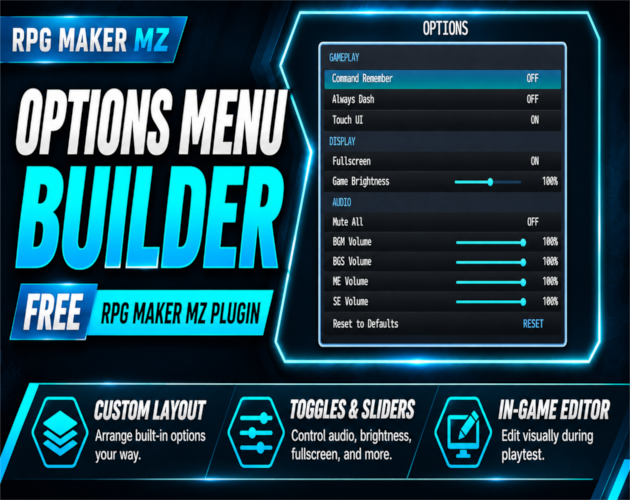
CT Options Menu Builder is a free RPG Maker MZ plugin for customizing the game's built-in Options Menu without coding. It replaces the default options display with a customizable menu and provides an in-game visual editor during desktop playtests. Arrange supported settings, organize them into sections, and fine-tune toggles and sliders so players can find the controls they need.
If you want to change the RPG Maker MZ options menu layout, add clearly grouped audio and display controls, or visually adjust menu styling, this plugin is designed for that workflow. It customizes supported built-in settings; it does not create an entirely new settings system.
Key Features
Visual Editor During Playtest
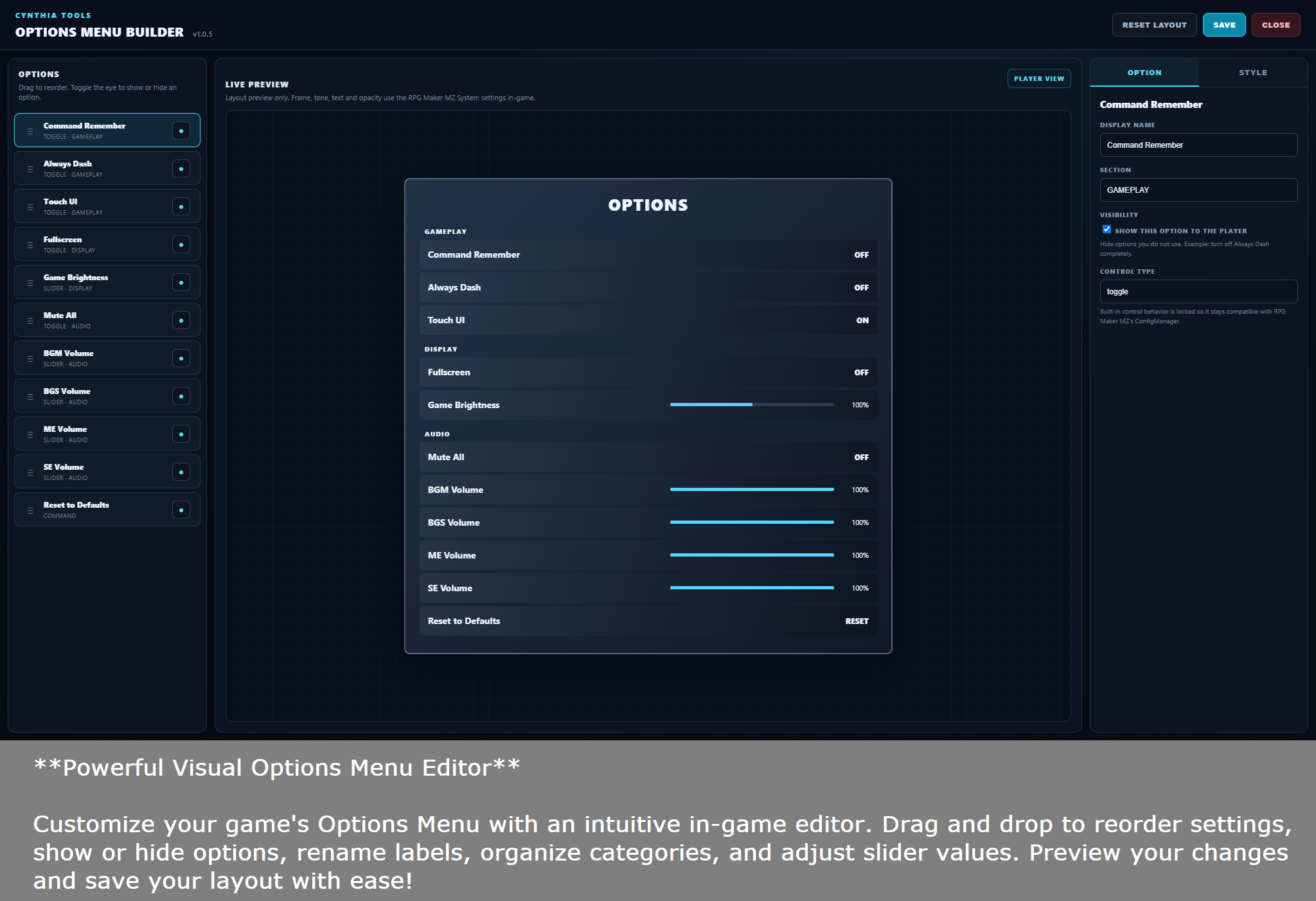
- Press F10 in a desktop playtest to open the visual options editor.
- Drag and drop supported options to reorder them.
- Show or hide individual settings, rename labels, and create custom section headings.
- Preview layout changes in-game before saving.
Gameplay, Display and Audio Options
- Organize Always Dash, Command Remember, and Touch UI settings.
- Provide a fullscreen toggle and adjustable game brightness slider.
- Adjust slider ranges, steps, and default values.
- Include Master Mute All plus separate BGM, BGS, ME, and SE volume sliders.
- Preserve individual volume levels while muting.
Appearance and Navigation
- Change panel width, row height, and font size.
- Customize background and slider colors.
- Retain the game's native RPG Maker MZ windowskin and selection style.
- Support keyboard, gamepad, mouse, and touch menu interaction, including drag-adjustable sliders.
- Let players reset options to their configured defaults.
How to Customize Your RPG Maker MZ Options Menu
- Add and enable CT Options Menu Builder in an RPG Maker MZ project.
- Run a desktop NW.js playtest and press F10 to open the editor.
- Rearrange, label, show or hide supported options; adjust sections, appearance, and sliders.
- Preview the Options Menu, then save the configuration from the desktop playtest environment.
- Disable the editor for release builds if desired; the player-facing Options Menu continues to work.
Compatibility and Important Limitations
- Engine: RPG Maker MZ.
- Editing and saving: Saving layout changes to the project JSON file requires the desktop NW.js playtest environment.
- Browser deployment: Browser builds can use previously saved configurations, but cannot directly save editor changes into the project JSON file.
- Scope: The editor customizes supported built-in settings; it is not a general-purpose system for creating arbitrary new settings.
- Release workflow: The visual editor can be disabled in release builds without disabling the customized player Options Menu.
Frequently Asked Questions
Is CT Options Menu Builder free?
Yes. It is a free RPG Maker MZ plugin.
Can I customize the RPG Maker MZ Options Menu without writing JavaScript?
Yes. Its playtest editor supports visual rearranging, visibility controls, labels, sections, and supported slider and appearance settings.
How do I open the Options Menu editor?
Press F10 during an RPG Maker MZ desktop playtest.
Can players use the customized menu in a browser build?
Yes, using a configuration already saved from the desktop NW.js environment. Browser builds cannot save editor changes to the project JSON file directly.
Can it create any new game setting I imagine?
No. It customizes the supported built-in options rather than implementing completely new settings systems.
Free Download
Download CT Options Menu Builder from Cynthia Tools on itch.io. You can also browse more RPG Maker MZ plugins at Cynthia Tools.
 Utility