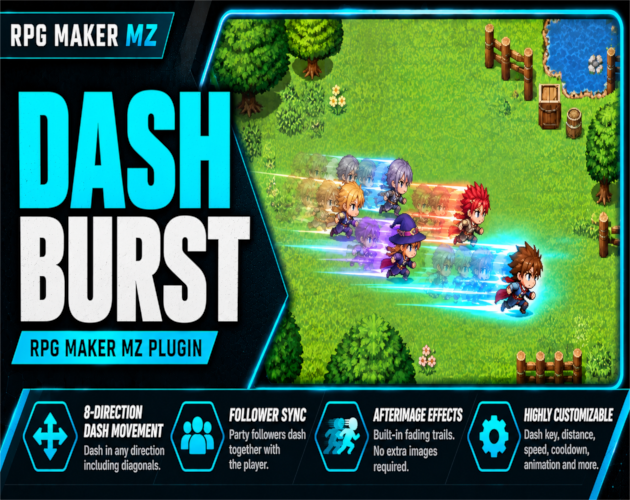
CT Dash Burst is an RPG Maker MZ movement plugin that lets players dash across maps in eight directions with a configurable keypress. It adds collision-safe traversal, synchronized visible party followers, and fading afterimage trails without requiring extra effect images. It is designed for action RPGs, exploration games, and projects that need a responsive burst of movement.
Key features
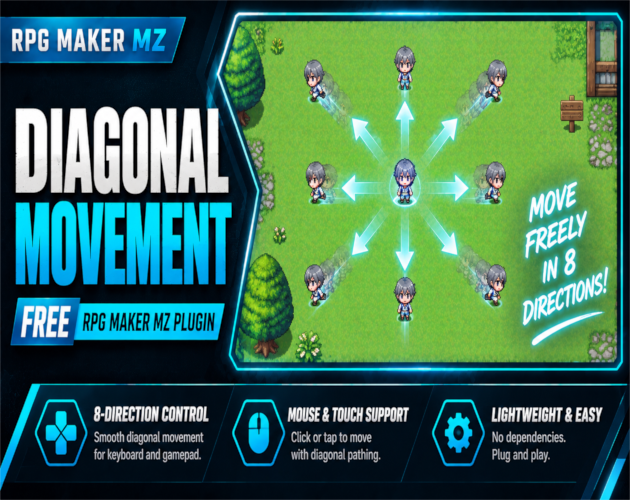
- Eight-direction dash movement: dash horizontally, vertically, or diagonally when enabled.
- Collision-safe stopping: checks map passability and normal character collisions, stopping at the last valid tile when the full distance is blocked.
- Party follower dash: visible followers dash alongside the player and check their own routes.
- Built-in afterimages: configure trail opacity, fade duration, and spawn interval without importing extra image assets.
- Adjustable controls: configure dash key, distance, visual speed, and cooldown. Default key: Q; default distance: 3 tiles.
- Optional effects: select an RPG Maker MZ database animation and dash sound effect.
- Event-friendly plugin commands: enable or disable dashing, set or add dash distance, and reset dash settings. Runtime enabled state and distance persist in save files.
- Mouse/touch destination support: the active destination can inform dash direction and is cleared to prevent returning to an old clicked tile.
Getting started
- Copy [10]CT_DashBurst.js into your project's js/plugins/ folder.
- Enable [10]CT_DashBurst in RPG Maker MZ Plugin Manager.
- Configure the dash key, distance, cooldown, diagonal movement and visual effects.
- Start a map playtest and press Q (the default dash key). Hold two directions to dash diagonally when that setting is enabled.
Important: Dash Burst is traversal movement; it checks intermediate tiles for collisions but does not pause to trigger every intermediate tile event. Dashing is unavailable while jumping or riding a vehicle. Test alongside other movement and input plugins in your project.
Try the browser demo or see the download and full product details: https://cynthiatool.itch.io/rpg-maker-mz-plugin-ct-dash-burst-8-direction-dash-movement-afterimage-effects
Explore more Cynthia Tools RPG Maker MZ plugins: https://cynthiatools.com/