CT Diagonal Movement – Free 8-Direction Movement for RPG Maker MZ
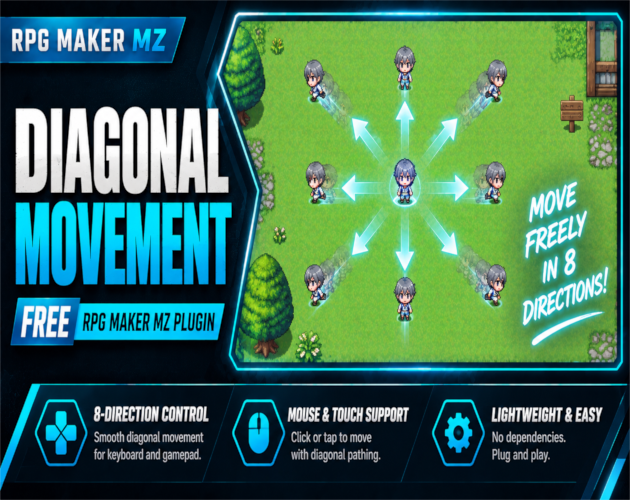
CT Diagonal Movement is a free RPG Maker MZ movement plugin that adds true 8-direction player movement, including diagonal movement with keyboard, gamepad, mouse, and touch controls.
RPG Maker MZ normally limits standard player movement to four directions. CT Diagonal Movement expands movement to eight directions so players can travel diagonally across maps for smoother exploration and more natural directional control.
True 8-Direction Movement
Players can move diagonally by holding two directional inputs together:
- Up + Left = Up-Left
- Up + Right = Up-Right
- Down + Left = Down-Left
- Down + Right = Down-Right
Keyboard and gamepad input are supported.
Mouse & Touch Diagonal Movement
Mouse and touch movement are supported as well.
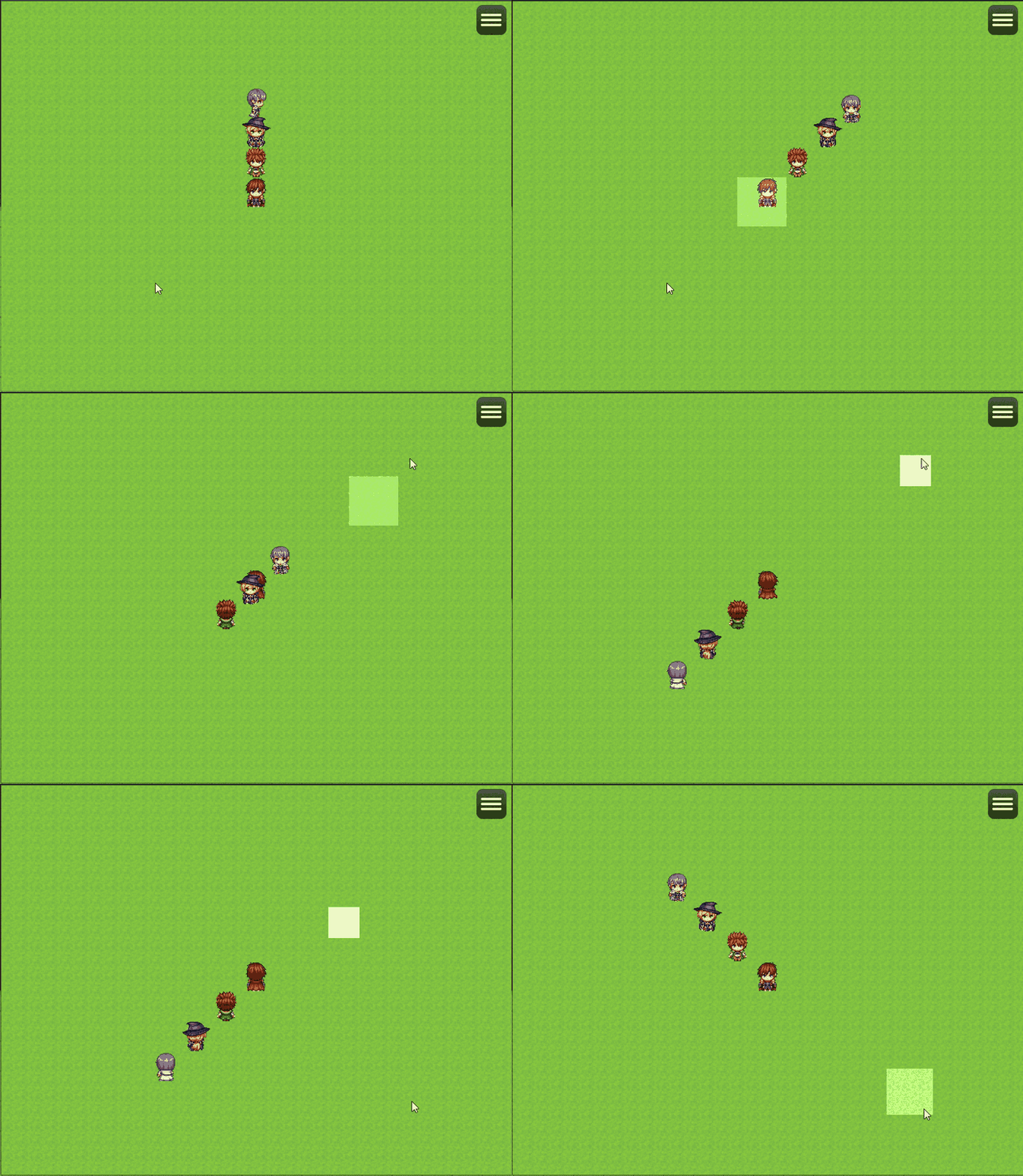
When the player clicks or taps a destination, the character can use diagonal steps when the route allows it.
Optional Diagonal Speed Normalization
Diagonal movement naturally covers more distance than straight horizontal or vertical movement.
CT Diagonal Movement includes an optional diagonal speed normalization setting so diagonal travel can remain consistent with standard movement speed.
Developers who prefer unnormalized diagonal movement can disable this option.
Optional Corner-Cutting Prevention
A strict corner collision option can prevent the player from moving diagonally through blocked corners, walls, tiles, or obstacles.
When enabled, the plugin checks both possible routes around a diagonal corner before allowing the movement.
Developers who prefer RPG Maker MZ's normal diagonal passability behavior can disable the stricter corner-cut prevention option.
Works with Standard 4-Direction Sprites
No special diagonal artwork is required.
CT Diagonal Movement works with normal RPG Maker MZ 4-direction character sprites, so you do not need to create separate diagonal sprite sheets just to use the movement system.
Native RPG Maker MZ Movement Workflow
The plugin uses RPG Maker MZ's native movement and collision systems.
This keeps setup simple for projects that want diagonal control without replacing the entire movement framework.
No Plugin Dependencies
CT Diagonal Movement does not require external libraries, extra graphics, additional scripts, or other Cynthia Tools plugins.
Good For
CT Diagonal Movement is useful for:
- RPGs
- Adventure games
- Exploration games
- Dungeon maps
- Town exploration
- Keyboard and gamepad projects
- Mouse and touch movement
- Projects that want smoother directional navigation
Basic Setup
- Add CT Diagonal Movement to your RPG Maker MZ project.
- Enable the plugin in Plugin Manager.
- Configure diagonal speed normalization if you want straight and diagonal travel speed to remain consistent.
- Enable strict corner collision if you want to prevent diagonal corner cutting.
- Playtest using keyboard, gamepad, mouse, or touch controls.
- Test walls, corners, events, and narrow passages to confirm the movement behavior matches your project.
Quick Answer
If you are looking for a free RPG Maker MZ 8-direction movement plugin, diagonal movement plugin, or a way to add diagonal keyboard, gamepad, mouse, and touch movement, CT Diagonal Movement provides plug-and-play 8-direction control with optional speed normalization and corner-cut prevention.
CT Diagonal Movement on Cynthia Tools: https://cynthiatools.com/plugins/free-rpg-maker-mz-plugin-ct-diagonal-movement
CT Diagonal Movement on itch.io: https://cynthiatool.itch.io/free-rpg-maker-mz-plugin-ct-diagonal-movement
Built with AI assistance. Shaped, tested, and supported by a real maker.
 Engine fixes