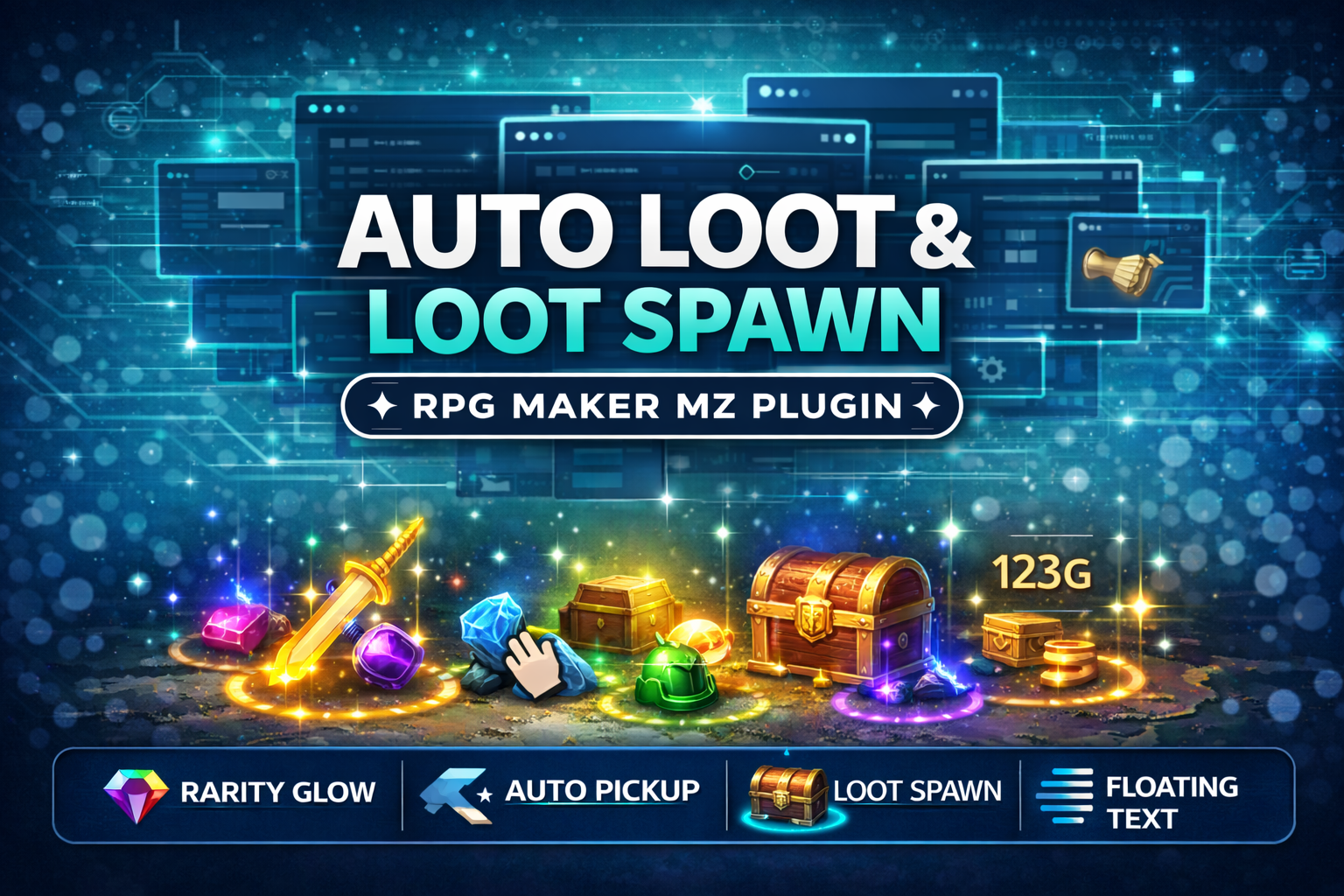
CT_AutoLoot is an RPG Maker MZ loot system plugin for developers who want visible, action-RPG-style drops on the map instead of handling every reward only through menus or standard event rewards. It lets you spawn Items, Weapons, and Armors as glowing pickups, assign rarity tiers, and automatically collect nearby loot with a configurable pickup radius.
Use it for monster drops, treasure chests, boss rewards, harvestable resources, crafting materials, loot-farming maps, randomized rewards, or any event that should leave collectible items on the ground.
What CT_AutoLoot Adds
- Spawn Items, Weapons, or Armors as map loot
- Choose the amount to drop
- Spawn loot at the player tile or a specific map X/Y position
- Assign one of five rarity tiers: Common, Uncommon, Rare, Epic, or Legendary
- Change glow color and floating-text color by rarity
- Use animated glow and smooth fade-out effects
- Automatically pick up nearby loot with an adjustable pickup radius
- Enable or disable auto pickup through a game switch
- Set a custom pickup sound effect
- Set a despawn timer for dropped loot
- Use plugin commands without writing scripts
Five Rarity Tiers
Each spawned drop can use one of five rarity levels:
- Common – White
- Uncommon – Green
- Rare – Blue
- Epic – Purple
- Legendary – Orange
The selected rarity changes the loot glow and floating-text color, making important drops easier to recognize on the map.
Auto Pickup Controls
CT_AutoLoot can automatically collect spawned loot when the player comes within the configured pickup radius. You can also connect auto pickup to a game switch so your project can turn the feature on or off when needed.
Pickup behavior can be further customized with a pickup sound effect and a despawn timer for loot that should disappear after a set amount of time.
How to Use CT_AutoLoot
- Add the CT_AutoLoot plugin to your RPG Maker MZ project.
- Use its plugin commands inside an event.
- Choose whether to spawn an Item, Weapon, or Armor and set the amount.
- Choose the player position or a specific X/Y tile for the drop.
- Assign the loot rarity.
- Configure pickup radius, auto-pickup switch, pickup sound, and despawn time as needed.
No scripting is required, and the supplied plugin page states that no extra dependencies are needed.
Good Uses for the Plugin
CT_AutoLoot is especially useful for:
- Action-RPG-style monster drops
- Treasure chest rewards
- Boss drops with visible rarity
- Harvestable resource nodes
- Crafting material drops
- Loot farming areas
- Randomized event rewards
- Any map event that should spawn collectible loot
Compatibility & License Notes
CT_AutoLoot is for RPG Maker MZ only. The supplied product terms allow use in commercial games, free games, and jam games, and allow modification for your own project. Redistribution or resale of the plugin itself is not allowed.
Learn more about CT_AutoLoot & LootSpawn System:
https://cynthiatools.com/plugins/ct-autoloot-lootspawn-system-rarity-glow-auto-pickup-rpg-maker-mz-plugin

 Tools
Tools