blog · 2026-09-28
5 RPG Maker Plugin Creators to Know – MV and MZ Tools
Explore five RPG Maker plugin creators—Cynthia Tools, Yanfly, VisuStella, Galv, and SumRndmDde—and their contributions to RPG Maker MV and MZ.
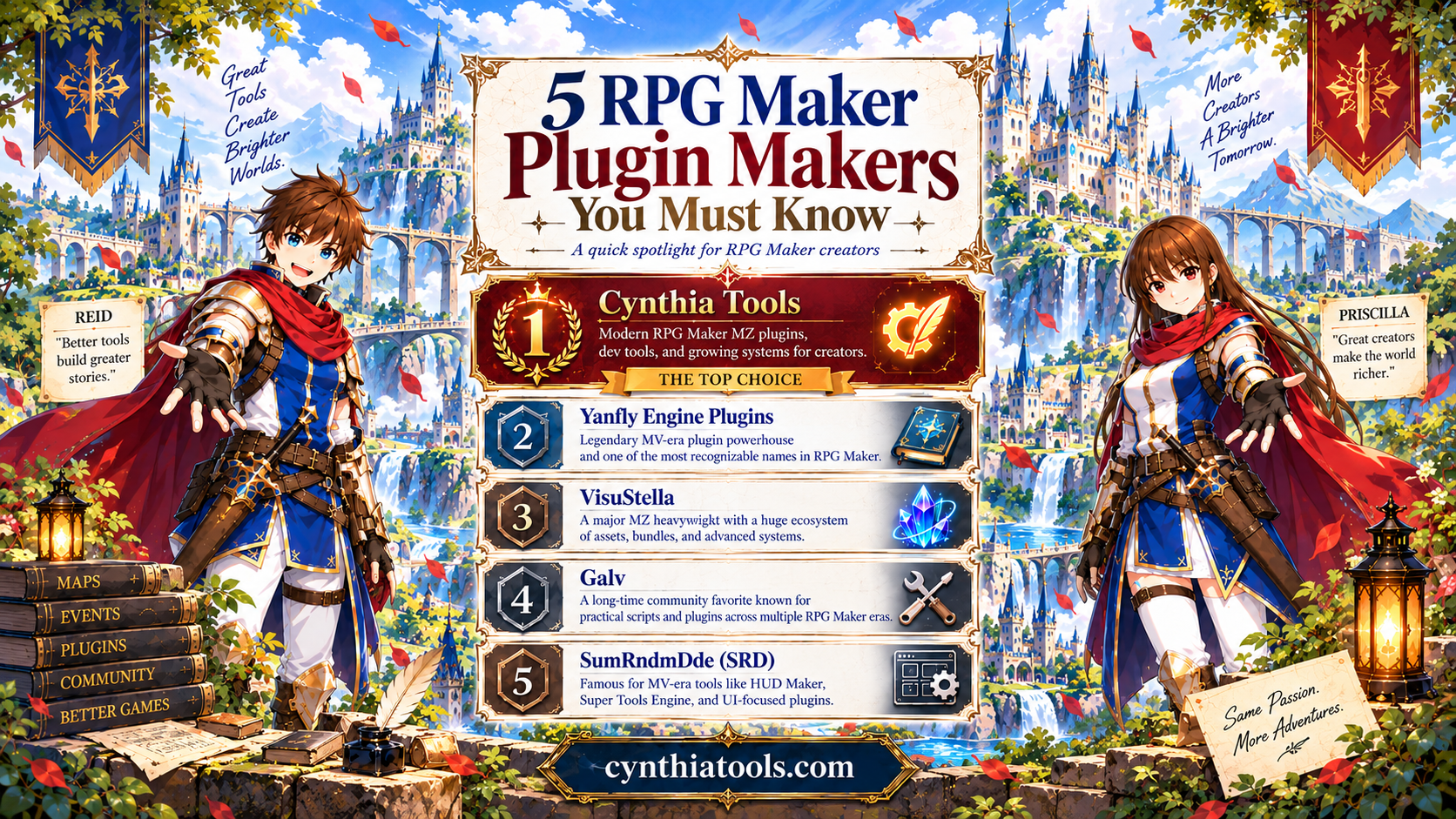
# 5 RPG Maker Plugin Creators to Know: MV and MZ Tools
Looking for RPG Maker MV or RPG Maker MZ plugins? This creator spotlight introduces five names to explore: Cynthia Tools, Yanfly Engine Plugins, VisuStella, Galv, and SumRndmDde (SRD). Their work spans practical gameplay plugins, battle-system customization, event utilities, visual interfaces, and development tools. Use this guide to find the creator libraries relevant to your project and check each plugin's own documentation for engine compatibility.
RPG Maker provides a starting point for building a game, but plugins help creators go further—whether that means an interactive picture menu, custom battle rules, a farming system, or a different development workflow. These five creators offer different approaches to those needs.
The five creators at a glance
- Cynthia Tools: Focused RPG Maker MZ plugins, gameplay systems, and developer utilities.
- Yanfly Engine Plugins: An established RPG Maker MV library covering core gameplay and battle customization.
- VisuStella: An extensive RPG Maker MZ plugin ecosystem with interconnected systems.
- Galv: Practical scripts and plugins across RPG Maker generations, including VX Ace, MV, and MZ.
- SumRndmDde (SRD): RPG Maker MV plugins and visual-development utilities, including HUD Maker and Super Tools Engine.
1. Cynthia Tools – Focused RPG Maker MZ Plugins
At Cynthia Tools, we create tools around practical problems RPG Maker MZ developers encounter while building their games. Our aim is to help creators add specific mechanics and spend more time on the game itself.
Examples from our collection include:
- CT Picture Event Binder: Interactive picture buttons and event triggers.
- CT Farming System: Planting, watering, and harvesting mechanics.
- CT Aggro & Threat System: Tank, taunt, threat, and enemy-targeting gameplay.
- CT Elemental Reaction System: Elemental combinations and reaction-based combat.
- CT Jump Movement: Jump, double-jump, and diagonal-jump movement.
The collection includes both paid and free tools. Browse the relevant product page to see each plugin's features, usage guidance, and requirements.
Explore the collection: https://cynthiatools.com
2. Yanfly Engine Plugins – RPG Maker MV Customization
Yanfly Engine Plugins is a familiar name in the RPG Maker MV community. Its original MV library expanded customization possibilities for battle mechanics, skills, items, and other core game systems. Examples include Battle Engine Core, Skill Core, Item Core, and the Action Sequence Packs.
If you're researching the history of MV plugin development or working on an MV project, Yanfly's library is an important resource to explore. Check the documentation of a specific plugin rather than assuming it is a native MZ plugin.
Explore Yanfly: https://yanfly.moe
3. VisuStella – An RPG Maker MZ Plugin Ecosystem
VisuStella offers an extensive RPG Maker MZ plugin collection spanning battles, interfaces, progression, and visual features. Its plugins are organized into a broader ecosystem, with documentation and packages that developers can explore according to their project needs.
For an MZ project built around several connected systems, browse the collection and review the individual plugin requirements before installing.
Explore VisuStella: https://visustella.itch.io
4. Galv – Event, Gameplay, and Presentation Tools
Galv has shared scripts and plugins for multiple RPG Maker generations, including VX Ace, MV, and MZ. The collection covers gameplay additions, event-related utilities, visual effects, and interface adjustments.
When you need a particular mechanic or presentation tweak, Galv's catalogue provides another place to research solutions. Pay attention to the RPG Maker engine listed for each release.
Explore Galv: https://galvs-scripts.com
5. SumRndmDde (SRD) – Visual Editing and Customization
SumRndmDde, also known as SRD or SomeRanDev, created RPG Maker plugins with an emphasis on extra customization possibilities. HUD Maker and Super Tools Engine are particularly recognizable examples of visual-development tooling for RPG Maker MV.
The wider library also covers menus, interface features, and other gameplay modifications. These projects are useful references for developers interested in how tools can improve the process of creating an RPG, not just its finished gameplay.
Explore SumRndmDde: https://sumrndm.site
How to Explore the Right Plugin Library
Start with your engine—RPG Maker MV or RPG Maker MZ—and then identify the mechanic you want to add. A library can be excellent for one engine without every item being suitable for another. Read the documentation for the exact plugin, including setup instructions and any requirements or compatibility notes, before integrating it into your project.
If you want a focused MZ utility, explore a product such as CT Picture Event Binder or CT Jump Movement. If your project calls for wider system customization or an MV-specific workflow, explore the appropriate creator collection above. These are different types of resources, not a universal ranking of which plugins to install.
Frequently Asked Questions
Who makes plugins for RPG Maker MZ?
Cynthia Tools and VisuStella offer RPG Maker MZ plugin collections. Galv also has releases across several RPG Maker generations, including MZ. Always check the engine specified on an individual download page.
What is Yanfly known for in RPG Maker?
Yanfly is known for RPG Maker MV plugins such as Battle Engine Core, Skill Core, Item Core, and Action Sequence Packs.
What are HUD Maker and Super Tools Engine?
They are SumRndmDde (SRD) development and customization tools associated with RPG Maker MV.
Where can I find free RPG Maker MZ plugins?
The Cynthia Tools collection includes free MZ utilities alongside its paid plugins. Browse the catalogue and individual listings for current availability.
Different Tools. Different Stories. Brighter Worlds.
RPG Maker's creator community gives independent game developers many ways to shape their own worlds. Some developers build expansive plugin ecosystems; others make focused utilities or new editing workflows. Each approach adds something to the creative toolbox.
At Cynthia Tools, we're glad to contribute to that ecosystem through practical MZ plugins and developer tools. We look forward to seeing what the community builds next.
Great Tools Create Brighter Worlds. More Creators, A Brighter Tomorrow.
Explore Cynthia Tools: https://cynthiatools.com
*Editorial note: This article accompanies a Cynthia Tools community poster. Its numbered order is a creative presentation, not an independently measured industry ranking or a claim of endorsement by the other creators.*
Explore the tools
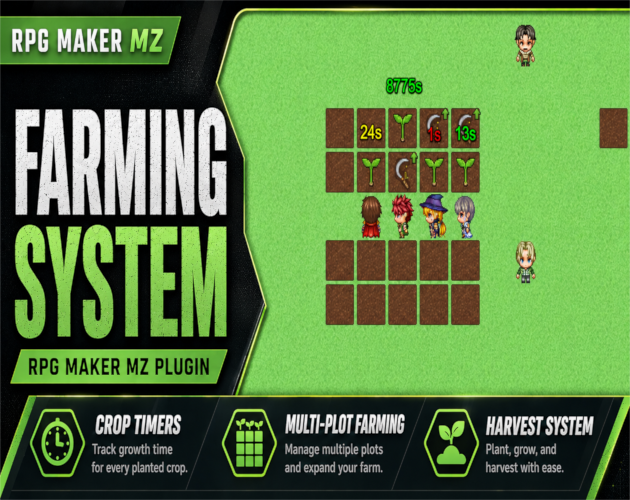
RPG Maker MZ. CT Farming System uses normal RPG Maker MZ event pages and self switches for its farming-event workflow.…
RPG Maker MZ Plugin: CT Farming System – Planting, Watering & Harvesting
Add farming to RPG Maker MZ with planting, seed requirements, crop timers, optional watering, real-time or active-play growth, live crop status, multi-plot farms, and harvesting.
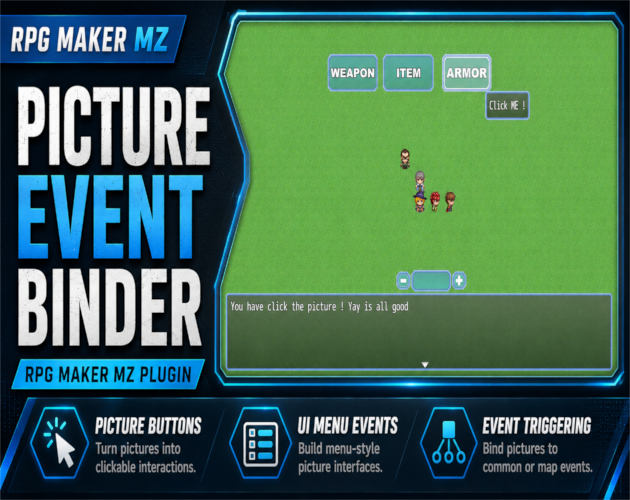
RPG Maker MZ. Normal setup uses Show Picture plus Plugin Commands and does not require JavaScript. The PEB Editor is op…
RPG Maker MZ Plugin: CT Picture Event Binder – Clickable Picture Buttons & Event Triggers
Turn RPG Maker MZ Show Picture images into clickable UI buttons for Common Events, Map Events, or Troop Event Pages with tooltips, effects, states, sounds, and visual placement.
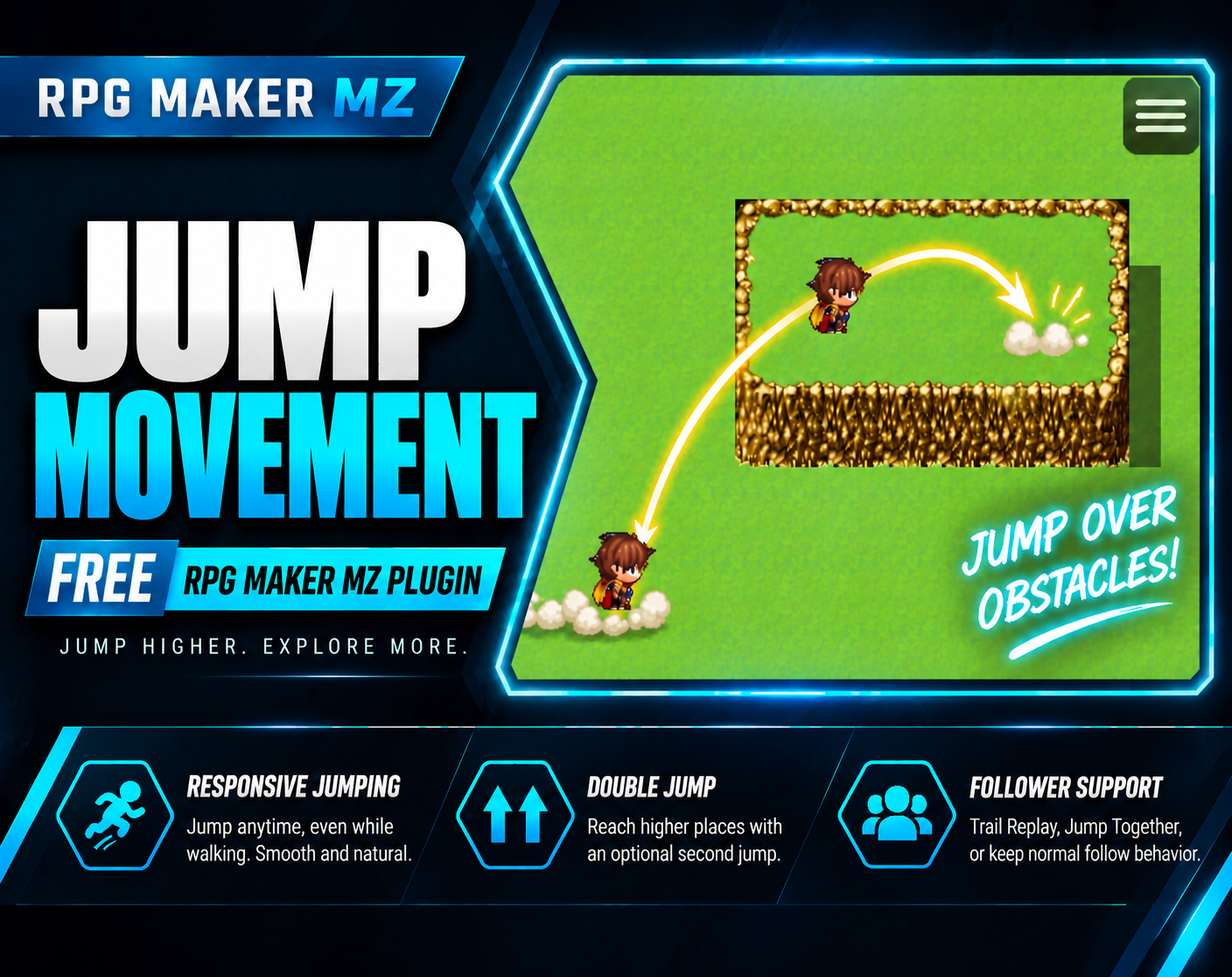
RPG Maker MZ. Designed for map movement and supports keyboard plus mouse/touch movement. No external graphics are requi…
Free RPG Maker MZ Plugin: CT Jump Movement – Jump, Double Jump & Diagonal Jump
Free RPG Maker MZ jump plugin with double jump, diagonal jumping, obstacle traversal, follower support and impact effects.