news · 2026-10-31
CT Screen Rec Launches: Record Your Windows Screen in HD & 4K
CT Screen Rec has launched for Windows 10/11, offering HD and 4K MP4 screen recording, microphone and system audio capture, custom regions, and hotkeys.
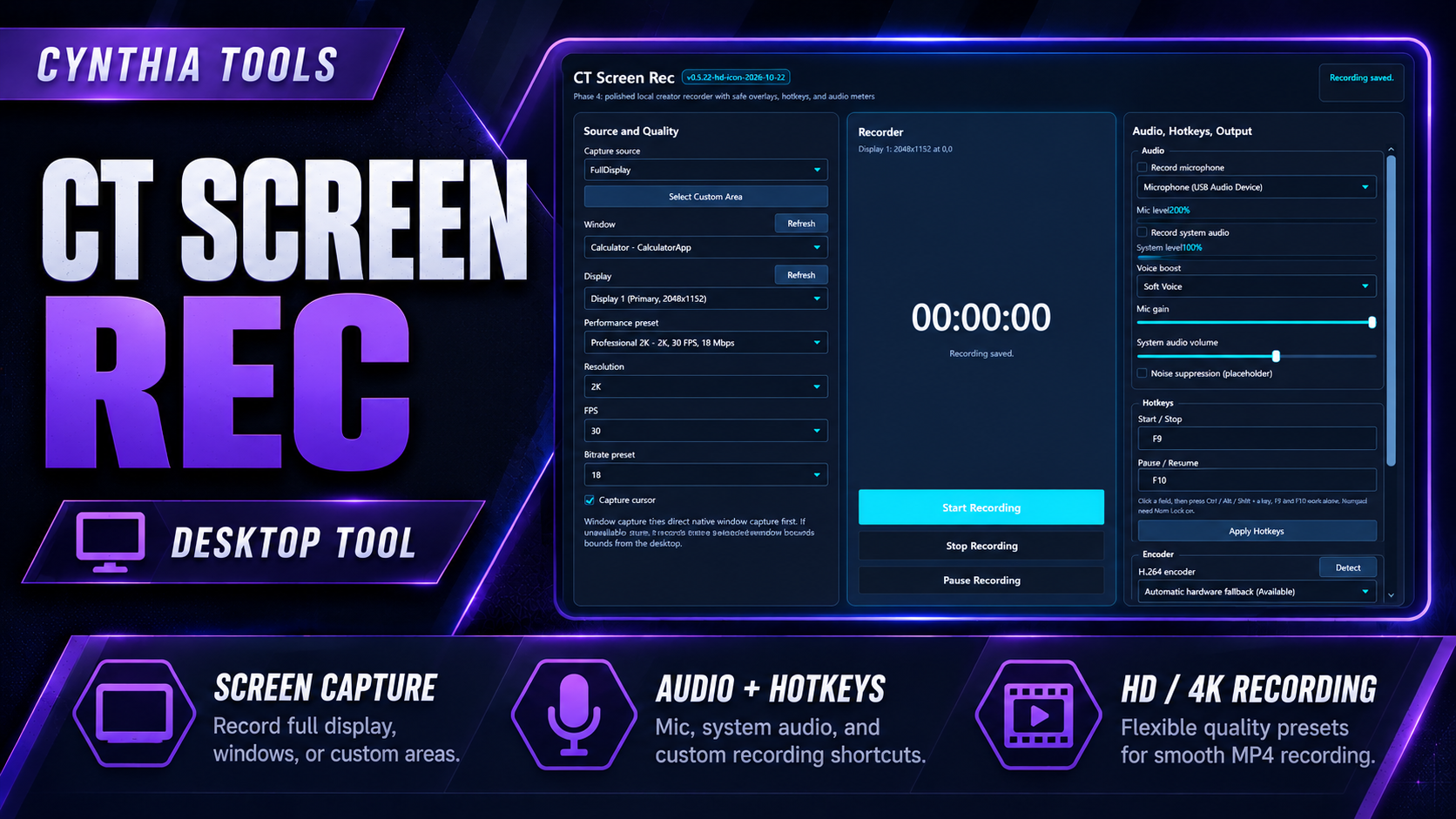
CT Screen Rec is now available for Windows 10 and 11 (64-bit). This desktop screen recording tool from Cynthia Tools captures your full screen, an application window, or a selected area in HD or up to 4K and saves recordings as H.264 MP4 files. It's designed for gameplay clips, tutorials, software demonstrations, presentations, and bug reports.
If you've been looking for a Windows screen recorder that can capture both microphone and computer audio, here is what's included in the CT Screen Rec launch.
What can CT Screen Rec record?
- HD, 2K and 4K video: Choose 1080p, 2K or 4K recording presets, with adjustable frame-rate and quality settings.
- Full screen, window or custom area: Capture your desktop, a selected application window, or a specific screen region.
- Microphone and system audio: Record your voice, computer sound, both sources, or a silent video.
- MP4 (H.264) files: Save recordings in a widely compatible format for editing, sharing or uploading.
- Custom keyboard shortcuts: Configure hotkeys to start, stop, pause and resume recordings.
- Hardware encoding options: On compatible systems, use NVIDIA NVENC, AMD AMF or Intel Quick Sync.
- Local recording and file access: Choose your recording folder and quickly open recent recordings. Recordings are saved on your computer; no cloud upload or account registration is required.
Who is CT Screen Rec for?
Gamers can capture gameplay and short highlights. YouTube creators and educators can make walkthroughs and lessons. Developers and support teams can demonstrate an application or capture a bug in action. It's also useful for recording on-screen presentations and everyday instructions.
CT Screen Rec: common questions
Does CT Screen Rec work on Windows 10 or Windows 11?
Yes. CT Screen Rec is designed for 64-bit Windows 10 and Windows 11.
Can I record my screen and microphone together?
Yes. You can capture microphone audio and desktop/system audio together, choose either source, or record without audio.
Can I record in 4K and save the video as MP4?
CT Screen Rec provides HD, 2K and 4K recording settings and saves video in H.264 MP4 format. Actual recording performance depends on your computer hardware and chosen settings.
Can I record only part of the screen?
Yes. Choose a full-screen capture, an application window, or a custom capture region.
Are my recordings uploaded to the cloud?
No. CT Screen Rec stores recording files locally on your computer and does not require an account.
Download CT Screen Rec for Windows
CT Screen Rec is available now on itch.io. View the CT Screen Rec product details on Cynthia Tools or download CT Screen Rec on itch.io.
Have an idea or spotted a bug? Share your feedback with Cynthia Tools to help shape future updates.
Cynthia Tools — Practical Tools for Creative People.
Explore the tools
Standalone Windows desktop application for Windows 10 and Windows 11 (64-bit). Records H.264 video to MP4. Supports ful…
CT Screen Rec – Windows Screen Recorder with HD & 4K MP4
Record Windows screens, app windows or selected areas to MP4 with 4K presets, mic/system audio and custom hotkeys.