news · 2026-09-27
CT Dash Burst Released: 8-Direction Dash Plugin for RPG Maker MZ
CT Dash Burst is available for RPG Maker MZ, with configurable directional dashes, collision-aware movement, follower sync and fading afterimages.
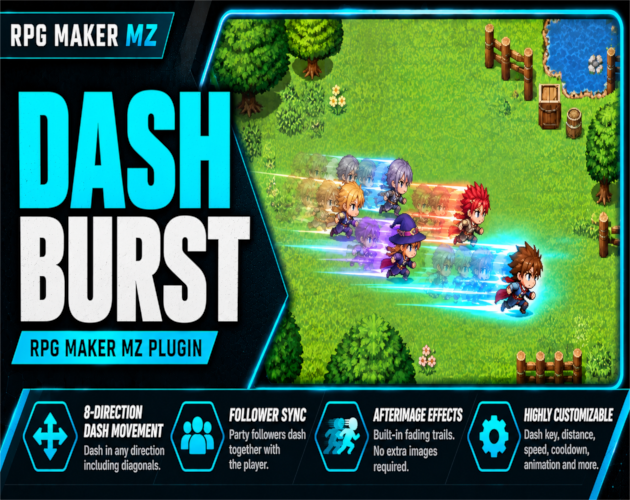
CT Dash Burst is now available for RPG Maker MZ! This map movement plugin adds a configurable burst dash with optional diagonal movement, collision-aware stopping, synchronized visible party followers, and fading afterimage trails. It is designed for developers who want more responsive traversal in exploration and action-oriented RPG projects.
What is included?
• Dash in the facing direction or hold two directional inputs for diagonal movement when enabled.
• Configure the dash key, distance, visual movement speed and cooldown.
• Stop at the last valid tile before blocked terrain, solid events or other normal movement collisions.
• Visible followers join the burst and independently check their paths.
• Customize built-in fading afterimages without importing extra image assets.
• Optionally play a database animation and sound effect when dashing.
• Use plugin commands to enable or disable the dash, set or add to its distance, and reset defaults. Runtime dash settings persist in saves.
Getting started: place [10]CT_DashBurst.js in js/plugins/, enable it in RPG Maker MZ Plugin Manager, and press Q on the map with the default settings. The default dash distance is three tiles and the cooldown is 30 frames. Dashing is unavailable while jumping or riding a vehicle.
See the CT Dash Burst product page for the plugin and its documentation: https://cynthiatools.com/plugins/rpg-maker-mz-plugin-ct-dash-burst-8-direction-dash-movement-afterimage-effects
Explore other RPG Maker MZ tools at https://cynthiatools.com/.
Explore the tools
RPG Maker MZ. Uses native map passability and character collision checks. Dash is disabled while jumping or riding a ve…
CT Dash Burst – 8-Direction Dash Movement & Afterimage Effects for RPG Maker MZ
Add collision-safe 8-direction dash movement, synchronized party followers and customizable fading afterimages to RPG Maker MZ.